

xMobile™
Cruise Apps – Ship Management Mobile Solutions
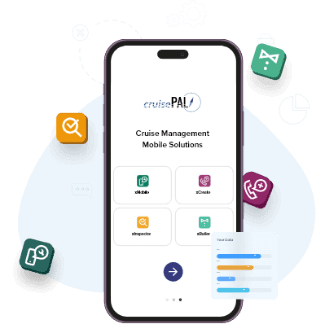
Unleashing operational excellence with the
Cruise Guest Service App
Cruise Apps are designed to fully optimize your cruise ship operations and hotel maintenance processes, our mobile apps provide end users with tools to perform tasks on-the-go. Our innovative solutions feature real-time updates, offline capabilities, seamless service management, and user-friendly interfaces.

User-friendly

Automatic data syncing

Minimal training required

Secured access

Customizable

Frequent updates
and enhancements

xMobile™

xCreate™

xInspector™

xButler™
Technicians, housekeeping staff, and others use the xMobile™ cruise app to complete or fulfill tasks. The main function is to allow users to remain mobile and get automatic work and service orders, improving efficiency and saving time. Users can also update the system on the progress and completion of tasks, providing valuable data that helps management improve processes and maintenance.
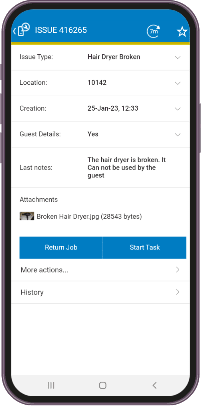
Product features
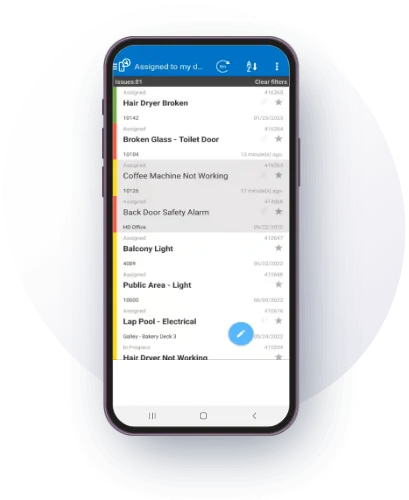
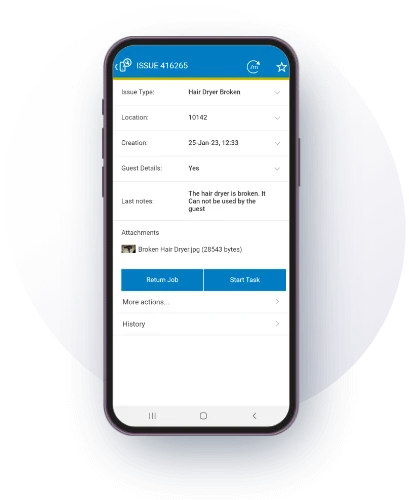
Benefits of xMobile™

Effortless
task management
Easily receive, track, complete, and manage assigned tasks ensuring smooth and efficient operations.

Flexible
connectivity
Works seamlessly in both connected and disconnected modes from Wi-Fi, ensuring uninterrupted functionality.

Seamless
integration
Enjoy smooth connectivity with the IssuTrax web and xCreate™ mobile application for streamlined operations.

Real-time progress
tracking
Stay informed with real-time progress updates, enabling quick decision-making and efficient task management.

Empowered
technicians
Enable your technicians to work on the go, addressing guest-reported issues promptly and efficiently.
Frequently asked questions
What is a cruise guest service mobile application?
A cruise guest service mobile application is a mobile solution designed to optimize ship operations and hotel maintenance processes. xMobile™ enables technicians, housekeeping staff, and others to complete or fulfill tasks on-the-go. The application provides automatic work and service orders, improving efficiency and saving time while allowing users to update task progress and completion, providing valuable data for management improvements.
Does cruise ship mobile application work offline?
Yes. Cruise ship mobile apps work with and without wireless connection. xMobile™ connects to the IssuTrax™ server and allows users to continue working when no wireless connectivity is available. Data syncs automatically once connectivity is restored, ensuring uninterrupted functionality in both connected and disconnected modes from Wi-Fi for seamless ship operations.
What features does ship management mobile application offer?
Ship management mobile applications offer versatile mobile connectivity, issue management with audible and visual alerts, task tracking menus, automatic data syncing, real-time progress updates, and seamless integration with web systems. xMobile™ adapts to any device size including smartphones and tablets, tracks metrics when users receive, accept, start, and complete tasks, and automatically updates databases with completed assignments.
How does cruise maintenance application improve technician efficiency?
Cruise maintenance apps enable technicians to work on-the-go, addressing guest-reported issues promptly. xMobile™ provides automatic work orders, real-time progress tracking, effortless task management, and allows users to take and add photos to issues. The app documents root causes to assist in future troubleshooting and preventive measures, empowering technicians with mobile tools for efficient operations.
What is real-time task tracking in cruise operations?
Real-time task tracking provides instant progress updates enabling quick decision-making and efficient task management. xMobile™ employs menu-based approaches to streamline issue management, efficiently categorizing issues for easy access. Background synchronization automatically updates the IssuTrax™ database with new and completed tasks, helping staff and managers see latest progress with ease.
What are the benefits of mobile ship operations software?
Mobile ship operations software benefits include effortless task management for receiving, tracking, completing, and managing assigned tasks, flexible connectivity working seamlessly offline, seamless integration with web systems, real-time progress tracking, empowered technicians working on-the-go, user-friendly interfaces requiring minimal training, automatic data syncing, secured access, and customizable features for optimized cruise operations.
Can I use the xMobile™ application without internet connection?
You can use the xMobile™ cruise app offline, granting users the flexibility to fix issues while on the go.
What are the key features in the xMobile™ application?
Our cruise app helps users to handle maintenance or guest problems easily while on the move. Users receive visual and audible notifications for new issues, and the application seamlessly functions in offline mode. It’s easy to start and fix problems with a simple interface. You can also take and add photos to the issue, as well as document the root cause to assist in future troubleshooting and preventive measures.